Clinical communication on the devices your team already uses.
Download the app, configure the encounter's languages, and start an interpreted session in under a minute. Use Shared Device for in-room care or Two-Device telehealth when each participant needs their own screen.

- Free to start — no credit card
- Works in under 60 seconds
- Available in 50+ languages
- HIPAA compliant with BAA
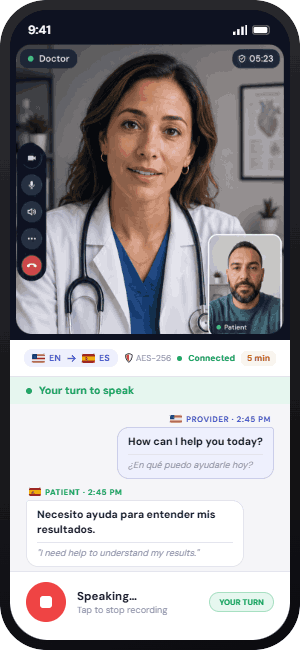
Patients join in seconds.
In Two-Device telehealth mode, the patient taps a secure link and joins the provider's session as a guest. Live video time is measured against the plan's monthly telehealth allowance, while the provider portal keeps usage visible.
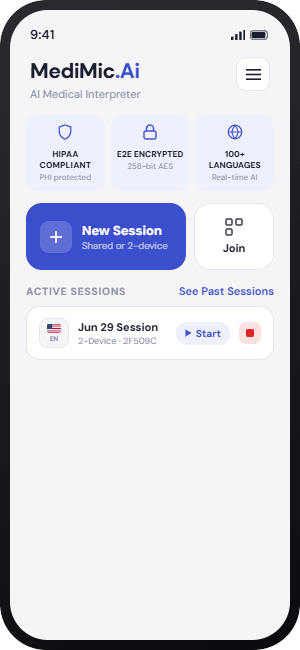
Home
Start or rejoin active sessions from the current app dashboard.
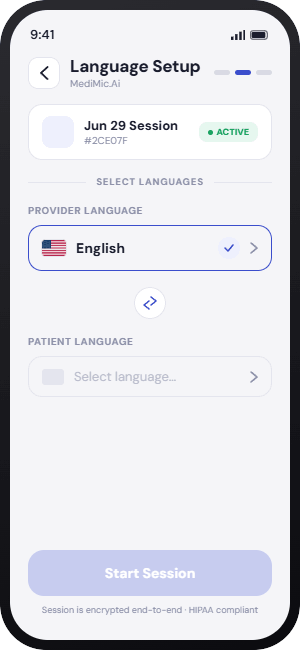
Language Setup
Select provider and patient languages before starting.
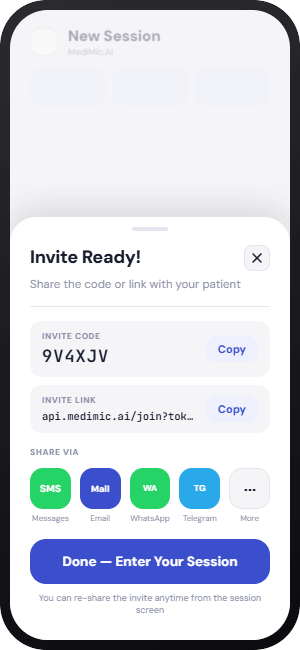
Invite Ready
Share the code or link for two-device visits.
Telehealth Session
Patients join with video, live interpretation, transcript, and turn controls.
Prefer to set up on the web?
Create your account and set up your organization in the web portal — billing, usage, and team management all live there. When it's time to interpret, sessions happen in the app.