
Easy to follow
A visible speaker gives patients another cue to follow alongside the translated text and audio.
Visual Avatar gives patients a computer-generated visual speaker to follow while MediMic delivers the translation. It is a more reassuring experience when a face on screen can help the conversation feel clear and connected.
Visual Avatar is computer-generated and is not a qualified human medical interpreter. Read the important notice.
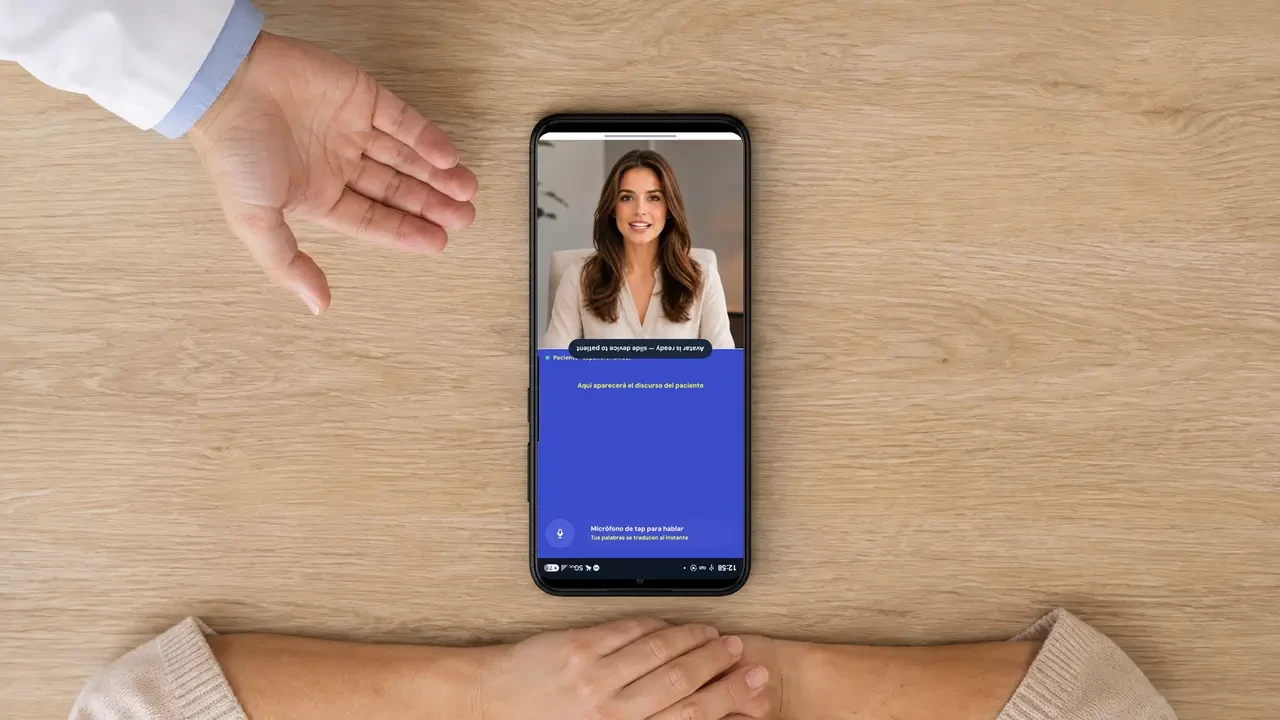
For conversations where a visual speaker helps patients stay engaged, Visual Avatar brings translated audio to the patient screen with natural lip sync. Staff keep the MediMic workflow they already know.
A visible speaker gives patients another cue to follow alongside the translated text and audio.
Use it on the patient side when it adds value, without opening another tool or changing the workflow.
Enable it from Settings, choose the preferred presentation, and turn it off whenever voice and text are enough.
Choose your Visual Avatar and AI Voice preferences in MediMic Settings, so everything is ready before the next conversation.
With an eligible plan and available avatar time, you can enable Visual Avatar from this same Settings area. The preference stays on the device until you change it.
Enable Visual Avatar in Settings before the conversation and choose the presentation that feels right for the encounter.
Begin a MediMic session normally. The provider experience stays focused on the patient and the conversation.
Bring the avatar on screen for translated speech when a visual presence can help the patient follow along.
Every plan includes a free avatar pack—a one-minute trial with Free, Flexible with Provider, Popular with Practice, Ultimate with Clinic—and Enterprise includes unlimited time. Upgrading adds the new plan’s pack on top of what you have left. Time is measured to the exact second only while the avatar is visible on the patient screen—not while it loads, waits, listens, or is hidden.
The appearance timer begins only after the visual experience is on screen.
Your organization's balance remains intact during loading, silence, and off-screen time.
Packs add to the organization balance whenever you need them. Remaining time is visible in the account area.
Add a lifelike visual presence to the conversations where it makes the greatest difference—and preserve your balance when it does not.
