A clinical communication tool built for the encounter.
MediMic is designed for the realities of care delivery: limited time, sensitive information, multiple workflows, and the need for clinicians to see and verify what was communicated.
Words appear, translated, as you speak.
Press and hold the mic. MediMic transcribes your speech, translates it, and reads the translation aloud — typically in well under two seconds. The other person sees both the original and the translation, so nothing gets lost.
- Sub-second streaming transcription
- Spoken translation read aloud, both directions
- Original + translation always shown together
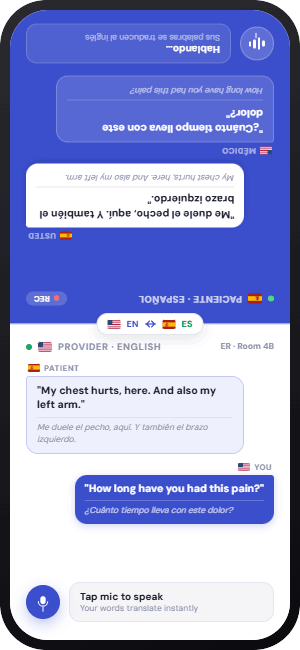
One device, passed between two people.
Provider and patient take turns speaking into the same iOS or Android device. The screen splits — provider on one half, patient on the other — and the patient's side shows their language. Nothing for the patient to set up or learn. Perfect for exam rooms and bedside visits.
- No patient account or download
- Split-screen, patient half in their language
- Clear turn-taking with a tap-to-speak mic
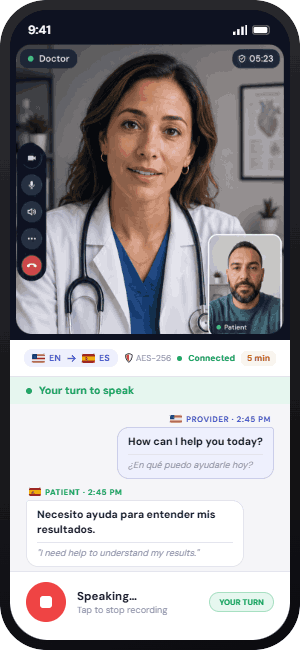
Telehealth video, with usage you can forecast.
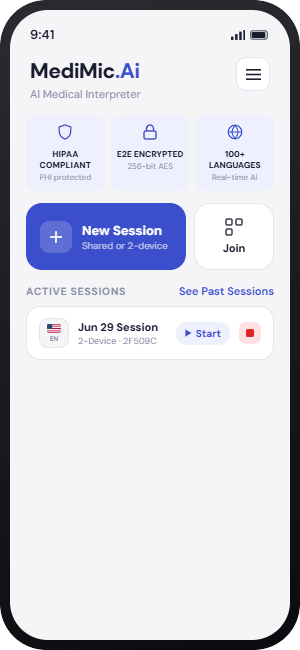
Share a secure invite link by SMS, email, or another approved channel. The patient joins from their own device as a guest — no account to create or registration to complete. Live two-device video time is measured against the plan's monthly telehealth allowance, while the provider portal keeps usage visible.
- Patient joins as a guest — no account, no sign-up
- Key shared via URL fragment — never sent to a server
- Telehealth video minutes metered by plan
Every conversation, documented and private.
Each session produces an encrypted transcript — both languages, timestamped — saved to your provider portal. Searchable, exportable for clinical documentation, and encrypted such that only you can read it. Not MediMic. Not anyone else.
- Both languages, fully timestamped
- Searchable & exportable
- Encrypted — readable only by you
Protected from your very first session.
Every paid plan includes a signed Business Associate Agreement — a click-through in your dashboard, no legal team required. Combined with end-to-end encryption and full audit logging, MediMic gives compliance officers what they need to say yes.
- Click-through BAA on all paid plans
- HIPAA audit logs retained six years
- Azure infrastructure in the United States
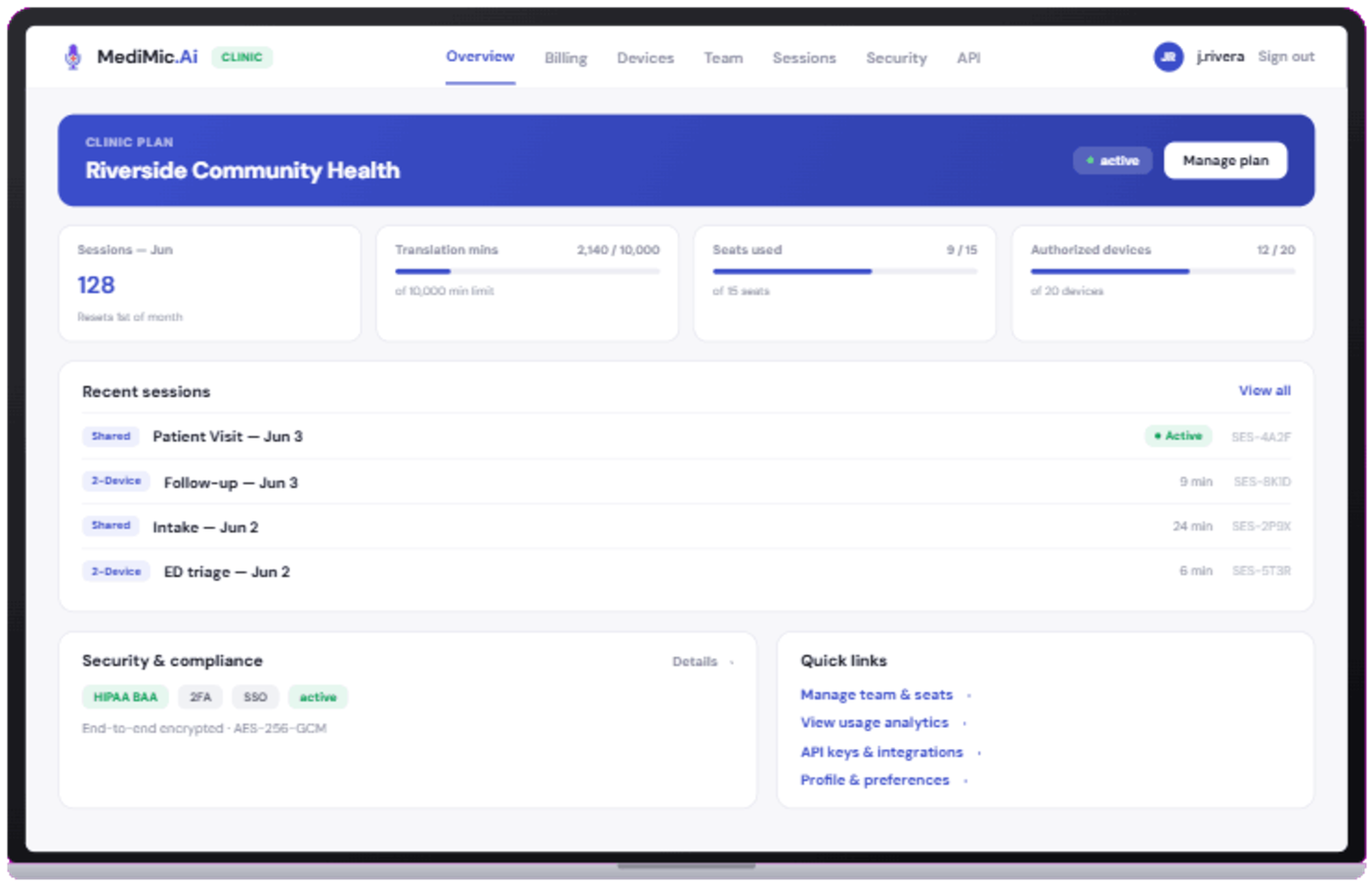
Your sessions, usage, and devices in one place.
A clean web dashboard for everything outside the exam room: session history with transcripts, usage at a glance, device management, and billing. Built on the same design system as the app, so it feels like one product.
- Full session history & transcripts
- Translation and telehealth usage meters
- Billing & plan controls
Run your whole practice from one dashboard.
Invite providers, assign roles, and see shared session history and billing across the team. Owners and admins get full visibility; billing staff can manage payment without touching clinical data; providers get a frictionless experience. Scales from a two-person clinic to a multi-site group.
- Role-based access (Owner, Admin, Billing, Member)
- Shared history & centralized billing
- Invite by email in seconds
See how your practice actually uses it — and trust what it produces.
Clinic and Enterprise plans get a usage dashboard broken down by language, provider, and device, with CSV export for reporting. And every session is watched for uncertainty: MediMic automatically flags any translation it isn't confident about, so a provider can double-check it in the moment instead of finding out later.
- Usage broken down by language, provider & device
- Automatic low-confidence translation flagging
- CSV export for compliance & QA reporting
Connect it to the systems you already run on.
Clinic and Enterprise plans include API keys and webhooks, so your systems can react to session events automatically, plus EHR-ready connectivity built for the charting workflows clinics already use. No more re-typing what a session already captured.
- API keys & webhooks (Clinic and above)
- EHR-ready connectivity for common charting workflows
- Built to extend, not replace, the systems you have
The languages your patients actually speak.
Spanish, Mandarin, Arabic, Haitian Creole, Somali, Vietnamese, Russian, Korean, French, Portuguese, and dozens more — all included on every plan. Don't see one you need? Request it and we'll prioritize.
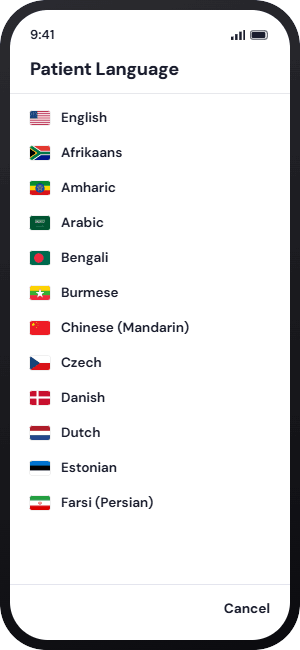
 English
 Spanish
 Chinese
 Arabic
 Haitian Cr.
 Vietnamese
 Somali
 Russian
 Korean
 French
 Portuguese
 German
 Japanese
 Hindi
Hindi Filipino
 Persian
 Amharic
 Polish
Works on the devices you already have.
Native iOS and Android apps for providers and patients alike — phones or tablets, old or new. Patients join a provider's session as a guest in the same lightweight app, with no account to create. No IT deployment, no mobile device management, no procurement.
- iOS & Android apps for providers & patients
- Patients join as a guest — no account needed
- No IT deployment for patient devices
See it in your own clinic.
Start a free session in under a minute — no credit card, no commitment.