1
Download & open
Download MediMic.Ai from the App Store or Google Play and open it. There's no setup wizard and no lengthy onboarding — you land straight on your home screen, ready to start.
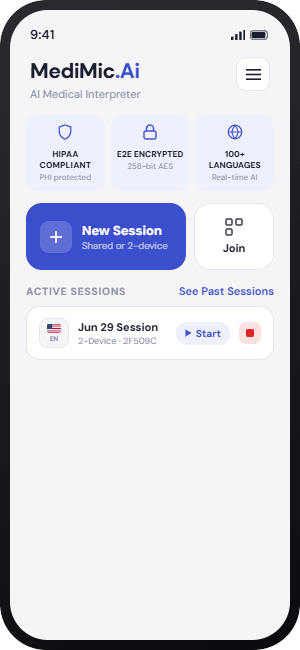
The workflow is designed to stay out of the way of care. Choose the encounter format, set the languages, and begin an in-room or telehealth conversation with clear usage tracking.
Download MediMic.Ai from the App Store or Google Play and open it. There's no setup wizard and no lengthy onboarding — you land straight on your home screen, ready to start.
Tap New Session, add a visit label, and choose the workflow that fits the encounter: Shared Device for in-room visits, or Two-Device for telehealth and separate-device communication.
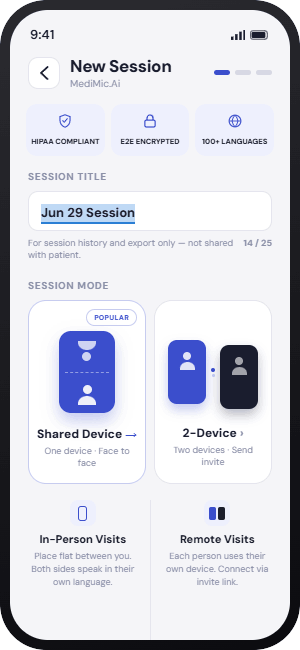
Two paths, both fast. Pick the one that matches the moment.
Select the provider's language and the patient's language — for example English (US) and Spanish (Mexico). Tap Start Session. That's it.
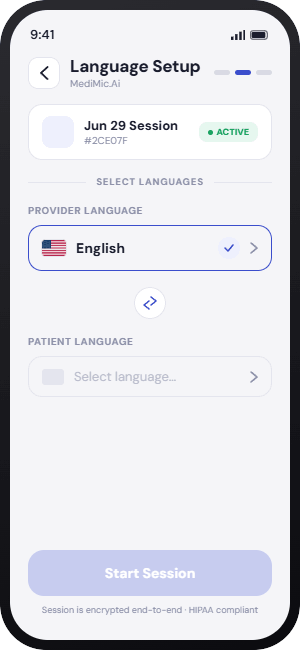
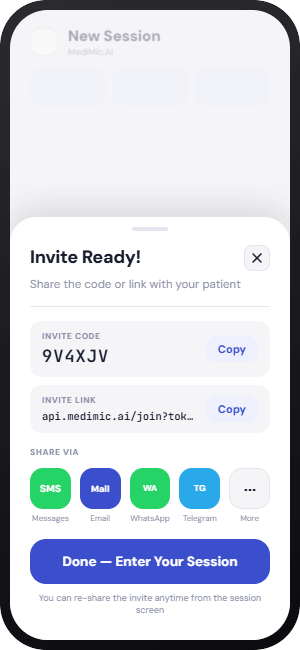
A secure link is generated for the patient's device. The patient joins as a guest — no account or registration — and live video time is measured against the plan's monthly telehealth allowance.
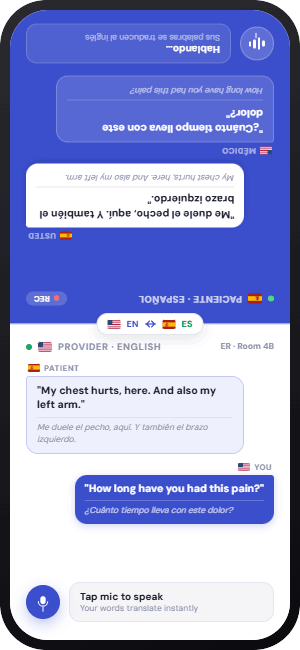
Tap the mic to speak, then tap again when you're done. Your words appear, translated, on the appropriate screen and the translation is read aloud. In telehealth mode, the video connection remains available while both participants are present; in Shared Device mode, the device supports clear turn-taking in the room.
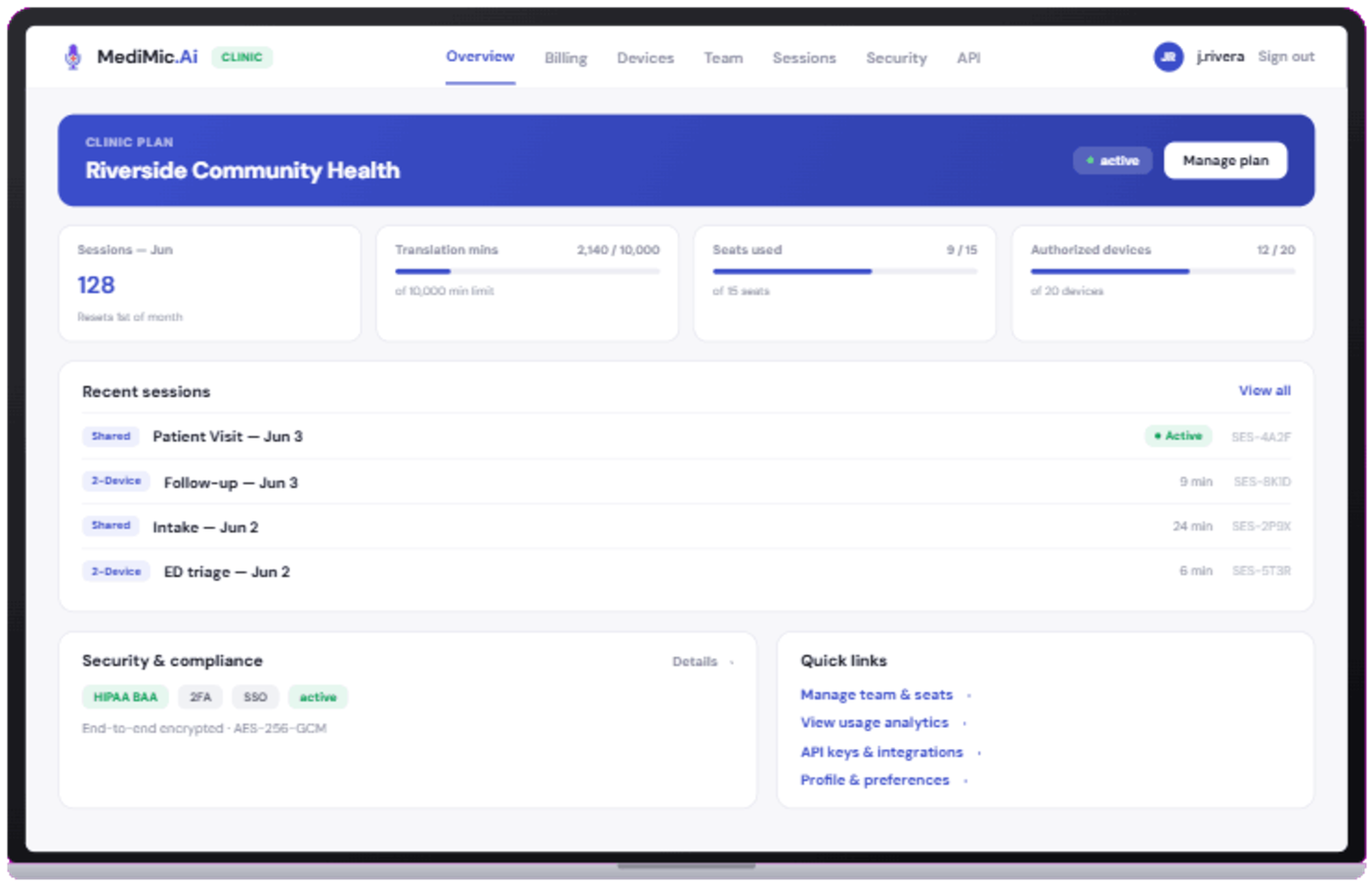
Tap End Session when the visit is complete. The encrypted transcript is saved to your provider portal — ready for clinical documentation, searchable, and readable only by you.
Your first session is free, and it takes less time to start than reading this page did.

